Modern manufacturing lines generate a constant stream of identity information—part numbers, batch codes, serial numbers, expiration dates, 1D/2D codes, and human-readable markings. The challenge is not just “reading” them once, but reading them reliably in real production conditions: vibration, high speed, reflections, dust, inconsistent print quality, curved surfaces, and variable lighting.
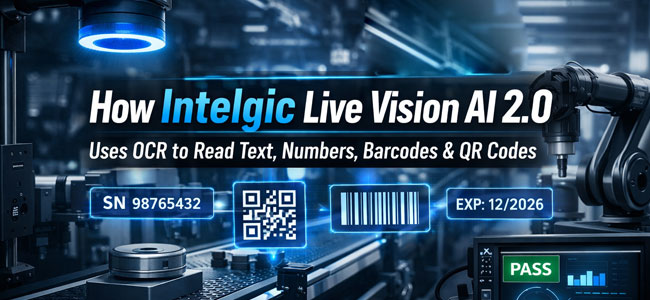
Intelgic’s Live Vision AI 2.0 addresses this using an end-to-end machine vision workflow where industrial cameras + controlled lighting + trigger-based capture + inbuilt OCR/Code reading + post-processing + integrations (PLC/sensors/APIs) work together as a single system. This article explains—step by step—how such an OCR-enabled vision system operates in an industrial environment, and how Live Vision AI 2.0 fits into that workflow.
What “Industrial OCR” Really Means
In a consumer setting, OCR is often “take a photo and guess the text.” In industry, OCR must be:
- Deterministic and repeatable (same result for the same part)
- Fast (often under a second, sometimes milliseconds)
- Robust to variations (print wear, dot-peen, laser etch, embossing, inkjet drift, label wrinkles)
- Traceable (image evidence + timestamp + station + pass/fail reason)
- Integratable (PLC handshake, MES/ERP updates, reject triggers)
Industrial OCR is rarely just OCR alone—it is a pipeline combining image acquisition discipline with text/mark detection, decoding, validation, and structured output.
Core Building Blocks in Live Vision AI 2.0 OCR Workflow
A. Industrial Cameras: The "Sensor" Layer
Live Vision AI 2.0 connects to industrial cameras and uses them as deterministic imaging sensors. Depending on the application, the system may use:
Area-scan cameras
For labels, packaging, nameplates, molded text, large surfaces
Line-scan cameras
For continuous web/roll inspection, long parts, high-speed conveyors
High-resolution sensors
For small characters, micro text, or dense 2D codes
The most important concept: OCR accuracy starts with the image. If characters occupy too few pixels, are motion-blurred, or washed out by glare, even the best OCR engine will struggle.
B. Lighting + Lens + Optics: Making Text "Readable"
Industrial OCR succeeds when text is made high-contrast and stable. Typical lighting strategies include:
Backlighting
For transparent parts or cutout markings
Diffuse dome lighting
For glossy surfaces to reduce hotspots
Low-angle dark-field lighting
To highlight embossed/debossed text
Coaxial lighting
For flat reflective surfaces (labels on metal)
Live Vision AI 2.0's workflow includes light trigger control (synchronized with camera exposure) to:
- Reduce motion blur
- Maintain consistent contrast across shifts and environmental changes
C. Triggering and Synchronization: Capturing at the Right Moment
In an industrial environment, the system cannot "wait for the perfect photo." It must capture at exactly the right time using:
Photoelectric sensors
(part present / leading edge)
Proximity sensors
(metal part arrival)
Encoder-based triggers
(capture based on conveyor position/speed)
PLC signals
(station ready / clamp closed / part indexed)
Live Vision AI 2.0 can manage camera triggers and light triggers from the software UI, enabling repeatable, sensor-based imaging instead of manual capture.
The OCR + Code Reading Pipeline Inside a Machine Vision System
Image Acquisition (Camera + Lighting + Trigger)
- The system receives a trigger (sensor/PLC/encoder)
- The camera captures an image with defined exposure/gain
- Lighting is strobed or controlled per recipe for consistent contrast
Industrial advantage: The capture is controlled and repeatable—critical for stable OCR.
Pre-Processing (Image Conditioning for OCR)
Before reading text or decoding codes, the system enhances readability. Common pre-processing steps include:
De-noising
Dust, sensor noise, background texture
Contrast normalization
Handling brightness variations
Sharpening
Edge enhancement
Perspective correction
If label is tilted
Thresholding
For crisp text separation
Region masking
Ignore irrelevant zones
This stage is where industrial OCR differs strongly from generic OCR: it is tuned for the specific product surface and marking style.
ROI Selection (Reading Only What Matters)
Instead of searching the entire image, the system reads Regions of Interest (ROIs):
ROIs reduce false detections and improve speed. ROIs are typically configured inside a recipe—so operators can run different SKUs with different read zones.
Detection + Recognition (OCR Engine)
The OCR engine performs two jobs:
Text detection
"Where are the characters/words?"
Recognition
"What are they?"
For challenging markings (dot-peen, laser etch, emboss), detection may rely on feature patterns rather than simple contrast.
Barcode and QR Code Decoding
Barcodes and QR codes require decoding logic beyond OCR:
1D barcodes
- Detect bars, measure widths
- Decode symbology
2D codes (QR/DataMatrix)
- Locate finder patterns
- Correct distortion
- Decode modules
- Error-correct
A strong industrial workflow can read both machine-readable code for speed and human-readable text printed nearby for redundancy and audit.
Confidence, Validation, and Rules (Industrial "Pass/Fail" Logic)
OCR output is only useful if it is validated. Typical rule layers include:
Regex/pattern validation
e.g., AA-999999, LOT:####
Checksum validation
Common in many identifiers
Whitelist/lookup
Compare to master data
Cross-field consistency
QR content must match printed serial
Per-character confidence
Thresholds for reliability
Retry logic
Optional recapture
This is where "read text" becomes "make a decision."
Recipe-Based Operation in Live Vision AI 2.0
In real factories, product variants change. A recipe-based system allows:
- Different ROIs per SKU
- Different exposure/light profiles for different surface finishes
- Different expected formats (serial rules, barcode types)
- Different output schemas (what fields to send and where)
Live Vision AI 2.0 recipes typically encapsulate:
- Camera configuration
- Trigger logic
- Lighting control parameters
- OCR and code-reading zones
- Validation rules
- Output formatting and integration endpoints
This makes the system scalable across multiple stations and product families.
Automating the Full Workflow With Sensors, PLCs, and External Systems
OCR is rarely a standalone activity. It sits inside an automation loop:
Part arrives
Sensor triggers capture
Live Vision AI 2.0 reads ID
System validates format
Decision is made
Action is triggered (accept/reject/sort/log/print)
Data is stored and shared (MES/ERP/QMS dashboards)
PLC Integration Examples
- If serial is valid → set PASS bit and allow downstream operation
- If serial is invalid/missing → set FAIL bit and trigger reject actuator
- If mismatch vs order → stop line / alert supervisor
Machine Integration Examples
- Read code → automatically load the correct CNC program/recipe
- Read batch → route to the correct packaging lane
- Read label → verify label matches product type before sealing
Post-Processing: Turning OCR Reads Into Tailored Outputs
Reading text is only the start. Industrial users want structured outputs like:
- part_number
- serial_number
- lot_number
- date_code
- barcode_value
- qr_payload
- station_id
- timestamp
- result (PASS/FAIL)
- reason (e.g., "Invalid format", "Low confidence", "Mismatch")
Live Vision AI 2.0 processes and formats these values so each customer can get tailored output aligned to their ERP/MES/QMS requirements.
Getting Results Out: Webhooks and APIs
To integrate OCR into modern production IT, Live Vision AI 2.0 can provide outputs via:
A. Webhooks (Event-Driven)
As soon as a read happens, the system pushes JSON payloads to a configured endpoint.
Ideal for real-time dashboards, instant traceability logs, and alerts.
B. APIs (Pull or Query)
External systems can query:
- Last read result
- Read history for a serial number
- Batch-level summaries
- Image evidence paths (if enabled)
Integration With Enterprise Systems
This enables tight integration with:
Practical Challenges in Industrial OCR and How the System Addresses Them
Challenge: Motion Blur on Fast Conveyors
Challenge: Reflections on Glossy Labels or Metal
Challenge: Curved Surfaces (bottles, pipes, cylinders)
Challenge: Low-Quality Printing or Worn Marking
Challenge: Similar Characters (O/0, I/1, B/8)
Typical Deployment Blueprint (End-to-End)
A common Live Vision AI 2.0 OCR station in a factory includes:
Hardware
- Industrial camera + lens
- Application-specific lighting (strobe capable)
- Trigger sensor (photoeye/prox/encoder)
Software
- GPU/Industrial PC running Live Vision AI 2.0
- UI for recipes, ROIs, validation rules
- Evidence storage (images + results)
Integration
- PLC integration for handshake
- Network integration (webhook/API)
- Operator dashboards
This architecture allows scaling from a single station to many plants while maintaining consistent read performance and traceability.