How Intelgic Inspects Logos, Stickers/Labels, Text, and Barcodes on T-shirts, Shirts, and Other Garments
In textile and garment manufacturing, visual quality is not just about fabric defects—it also includes branding accuracy and label correctness. A well-stitched garment can still be rejected if the logo is misaligned, the print color is off, the label is rotated, or the barcode doesn’t match the SKU. Intelgic’s AI + machine vision inspection approach is designed to automate these checks at production speed and with consistent accuracy—without relying on manual operators.
Below is a practical, factory-ready breakdown of how an AI vision system inspects logo position, color, print quality, orientation, sticker/label placement, OCR text, and barcode/QR on garments like T-shirts, shirts, jackets, and more.
A
What the System Inspects in Apparel Production
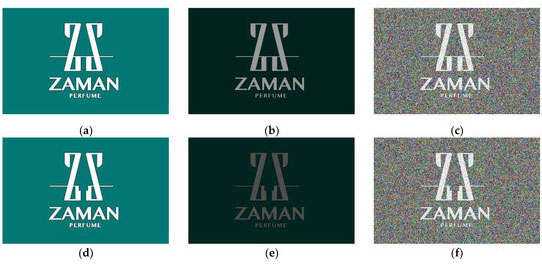
Logo Inspection
Typical issues in textile printing & embroidery:
- Logo shifted from the defined position (left chest, center chest, sleeve, back neck, etc.)
- Logo rotated or skewed (orientation mismatch)
- Color shade mismatch (brand color tolerance failure)
Printing Defects Include:
- Missing ink / fading
- Smudges, blur, ghosting
- Broken strokes, pinholes
- Misregistration (layer misalignment)
- Thread missing / broken stitches
- Outline distortion
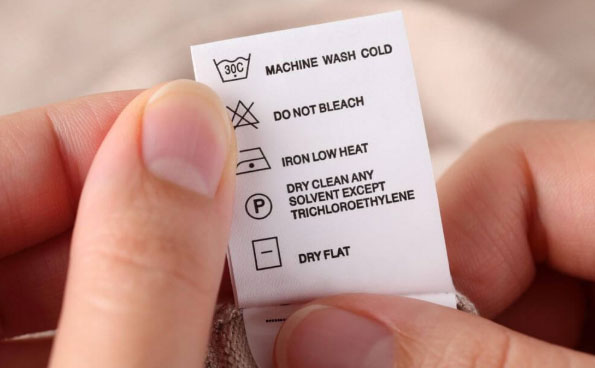
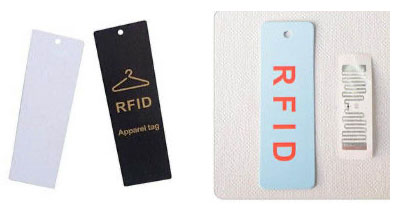
Sticker / Label Inspection (hang tags, heat-transfer labels, size tags, care labels)
Hang tags, heat-transfer labels, size tags, care labels:
- Label missing
- Label location incorrect (too high/low, wrong side)
- Label rotated (90°/180°) or mirrored
- Label wrinkles / folds causing unreadable barcode/text
- Wrong label type placed on a garment (incorrect template)
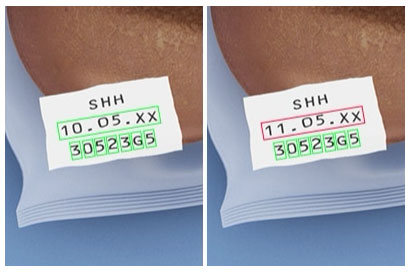
Text + Barcode / QR Inspection
OCR for:
Brand text, size, MRP, batch code, date code, country of origin
Barcode/QR:
- Presence and readability
- Correct encoding (SKU/Part ID validation)
- Match with order / production data (API/MES/ERP integration)
- Print quality grading (contrast, quiet zone, damage)
Imaging Setup: Getting Reliable Images on Fabric
Garments are challenging because fabric introduces wrinkles and stretching, texture patterns (knit, weave), variable color backgrounds, reflections (polyester blends, glossy prints), and inconsistent placement (operator handling).
Intelgic's inspection accuracy starts with controlled imaging:
A. Controlled Lighting (Most Important)
To inspect printing and labels properly, the system typically uses:
- Diffuse dome / panel lighting to reduce harsh shadows
- Low-angle lighting to highlight raised ink defects
- Polarized lighting (for glossy or reflective prints)
- Enclosed inspection zone to block ambient light
B. Camera Selection
Depending on line speed and garment size:
- High-resolution area-scan cameras for logo/label close inspection
- Wider FOV cameras for full garment placement check
- Multi-camera setups for large garments or multiple print zones
C. Fixture / Presentation
The system works best when garments are presented consistently:
- Flat-bed or vacuum table for flat imaging
- Conveyor presentation with top-view imaging
- Alignment guides for operator placement
Core Method: "Reference-to-Actual" Verification
At a high level, Intelgic's AI inspection works like this:
Capture Images
Image(s) of garment zone(s)
Detect Region
Garment region (remove background)
Find Target
Logo, label, text block, barcode
Compare & Grade
Against expected design/template
This approach supports both:
• Fixed-template inspections (same garment style repeatedly)
• Multi-style production (recipe selection via SKU, barcode scan, or operator selection)
Logo Position Checking: Measuring "Where It Is" vs "Where It Should Be"
Step A: Detect logo region
The AI model identifies the logo region even when fabric texture is heavy, print is partial, or the garment is slightly rotated.
Step B: Establish reference points
The system uses references like garment neckline, shoulder seam line, placket line, pocket boundary, or garment bounding box.
Step C: Compute position tolerance
Measures X/Y offset, distance from seam line, relative placement, and rotation angle. Result: PASS if inside tolerance.
Example Result: "FAIL: Logo shifted +6.2 mm right, +4.1 mm down"
Logo Orientation Checking: Detecting Rotation and Mirroring
Logo orientation errors happen due to rotated garment placement, misaligned print screen, or incorrect heat-transfer alignment.
The AI system evaluates:
- Logo angle in degrees (e.g., should be 0° ± 2°)
- Logo symmetry/orientation rules
- Optional "keypoint" alignment (logo corners, emblem tips)
Result examples: "FAIL: Logo rotated 7.5° clockwise" or "FAIL: Logo mirrored."
Logo Color Inspection: Shade Matching on Real Fabric
Color checking is complex because fabric color and lighting affect perceived shade. A robust approach combines:
A. Controlled illumination
Stable lighting + fixed camera settings is essential.
B. Color normalization
Calibration ensures brand red remains within tolerance across shifts.
C. Tolerance-based validation
Evaluates dominant logo color(s) and color distribution.
Result: "FAIL: Logo color out of tolerance (Δ exceeds threshold)."
Printing Defect Detection: Smudge, Missing Ink, Blur, Misregistration
This is where AI excels, especially because defects do not follow fixed rules. Intelgic's approach typically includes:
A. Defect segmentation/detection AI
The model is trained on examples of:
B. Rule-based geometry checks
For known artwork:
- Thickness consistency checks
- Edge sharpness / blur scoring
- Registration checks between color layers
C. Severity scoring
→ warning only
→ reject immediately
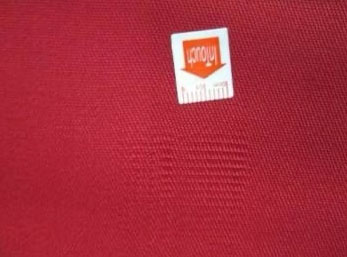
Sticker / Label Position & Orientation Inspection
Labels are often the biggest source of packing/dispatch issues. The system checks:
Label present/absent
Label center position
Skew/rotation
Correct label type
Example FAIL Results:
- "FAIL: Size sticker missing"
- "FAIL: Care label rotated 180°"
- "FAIL: Hang tag label is present but shifted 12 mm"
OCR: Reading Text on Labels and Prints
OCR on garments is affected by curved fabric, small fonts, low contrast, and textured background.
To handle this, the pipeline:
Finds text region
AI localization first
Corrects perspective
Rotation/perspective correction
Applies OCR & validates
Against expected patterns
Validation examples:
Size validation
Must be one of {S, M, L, XL}
Date code format
Must match YYYY-MM-DD
MRP validation
Must be numeric and within expected range
Style code match
Must match current work order
Barcode / QR Inspection: Readability + Data Validation
A. Readability / quality
- Barcode present
- Decodable
- Sufficient contrast
- Quiet zone not damaged
B. Data correctness
The decoded value is matched with:
- The active production order
- SKU database
- ERP/MES records via API
Result examples:
• "FAIL: Barcode unreadable (print blur)"
• "FAIL: Barcode value mismatch with work order"
Multi-Style Production: Recipe Management for Different Garments
In textile plants, you may run multiple brands, multiple logo placements, and multiple label formats.
Intelgic's workflow supports:
Recipe per SKU/style
Custom inspection parameters for each garment type
Quick switching
Via barcode scan or order selection
Storage of parameters
Logo zones, tolerances, OCR patterns, etc.
This ensures the same station can inspect different garment types without re-engineering.
Output: What the Operator and Quality Team Gets
A practical industrial inspection system must provide more than PASS/FAIL:
Live overlay
Showing logo/label bounding boxes in real-time
Saved images
Of failed pieces (and optional pass samples)
Analytics dashboards
Defect trends, rejection rates, top defect zones
Searchable inspection history by:
Date/time
SKU/style
Operator shift
Barcode value
Where This Adds the Most Value in Textile Plants
-
Reduces customer returns due to misbranding/label errors
-
Catches "human placement mistakes" early
-
Improves compliance for export labeling requirements
-
Provides traceability and proof of inspection
-
Standardizes quality across shifts and sites